Certificate renewals & gaps
See expiring STCW and company-required certs, jump straight to upload, and book training providers.
Learn more →Native iOS via TestFlight today (Android later) — plus installable web on tablets — for seafarers, not the shore fleet dashboard. One app for certificates, planned maintenance, hours of rest, safety documents, messaging, and vessel modules your company enables.
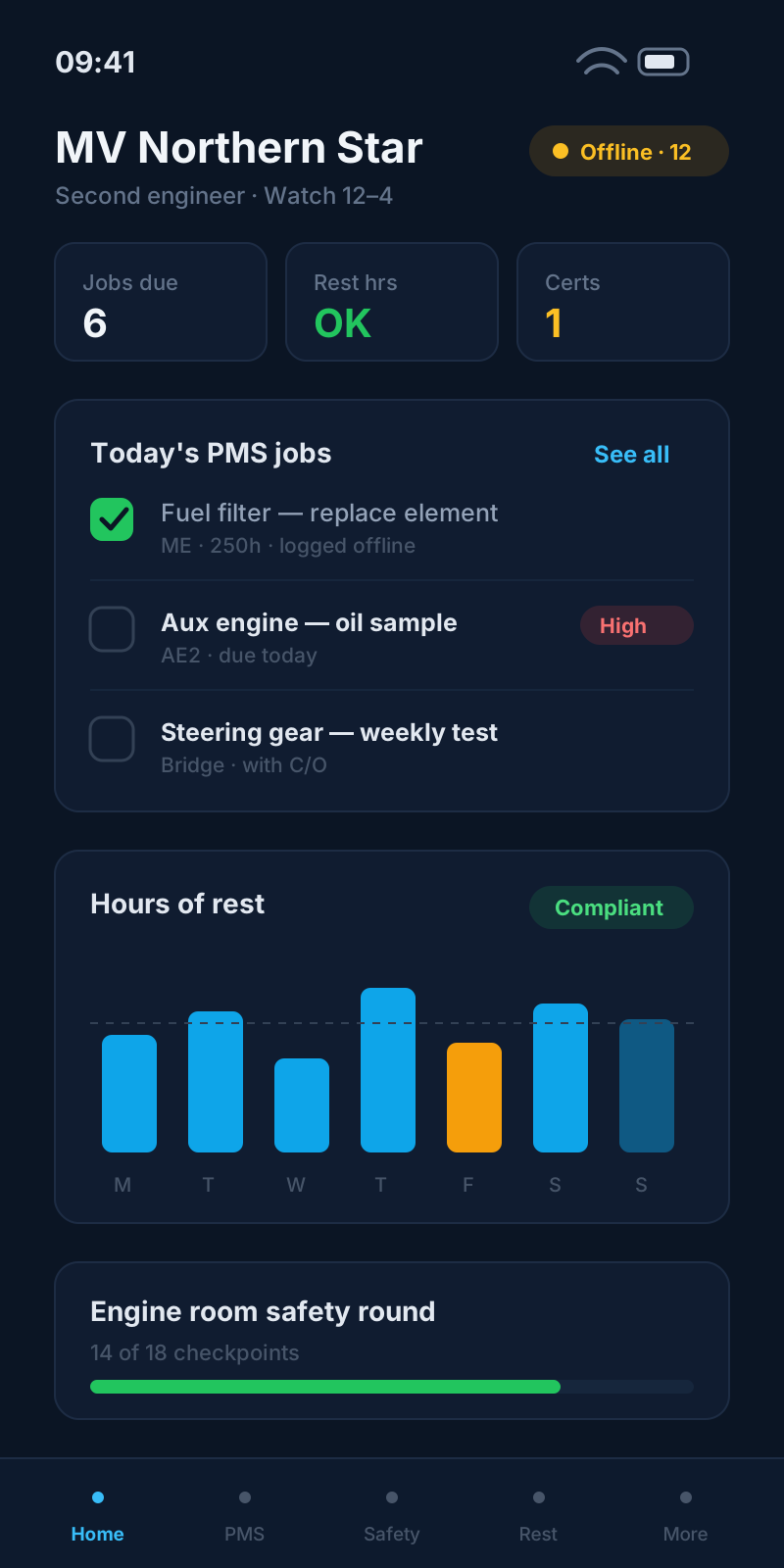
Bottom navigation matches how crew actually work — compliance on Home, execution in PMS and HoR, paperwork under Docs.
Certificates due, calendar, training, contacts, and quick links to vessel modules.
HoRHours of rest tracker with roster overlay and MLC-style day recording.
PMSTrip maintenance jobs, checklists, sign-off, and rectification tasks.
DocsSMS, fleet notices, safety rounds, SDS, HR papers, and ships library.
ProfilePersonal details, HR, certificates, and optional recruitment CV.
Your daily bridge between personal compliance and company operations — what needs renewing, what is on the calendar, and who to call ashore.
See expiring STCW and company-required certs, jump straight to upload, and book training providers.
Learn more →Availability, planned leave, synced rota blocks, and HR leave requests from one grid.
Learn more →Raise training needs to your employer and link requests to certificate types.
Learn more →Company-assigned courses and vessel familiarisation content when your employer enables them.
Learn more →Office-hours and out-of-hours numbers for your fleet operator — tap to dial.
Voyage events, port calls, and deck log entries when the cargo module is enabled for your vessel.
Learn more →Check paint inventory in and out, or scan crew-shop purchases to your onboard account.
Learn more →Generate a secure, expiring link to share certificates with recruiters or manning agents.
Optional jobs board and work-profile CV when recruitment features are enabled.
Engineers and ratings execute planned maintenance on board with the same job data the superintendent sees ashore.
Filter by trip, overdue, due soon, or full job list — scoped to your vessel and rank.
Learn more →Open a job, complete required checklists, record readings, capture signatures, and close the work order.
Learn more →Structured tick lists and free-text items tied to each PMS job — required items block sign-off.
Learn more →Close findings from zone or Master rounds and sign off ad-hoc jobs assigned to you or your department.
Learn more →Prepare jobs in port, execute offline at sea, sync when connectivity returns.
Learn more →Record and review work and rest on a 30-minute day grid, aligned with company roster data.
Paint work and rest blocks on a familiar timeline; switch months to review history.
Learn more →See rostered work periods from the fleet office overlaid on your recorded day.
Learn more →Visual cues when rest rules may be breached — before submission, not only in the office.
Learn more →Edit a full day offline; the app queues the payload and replays on reconnect.
Learn more →Safety management, fleet circulars, and vessel paperwork in one tab — no shared drives or email attachments.
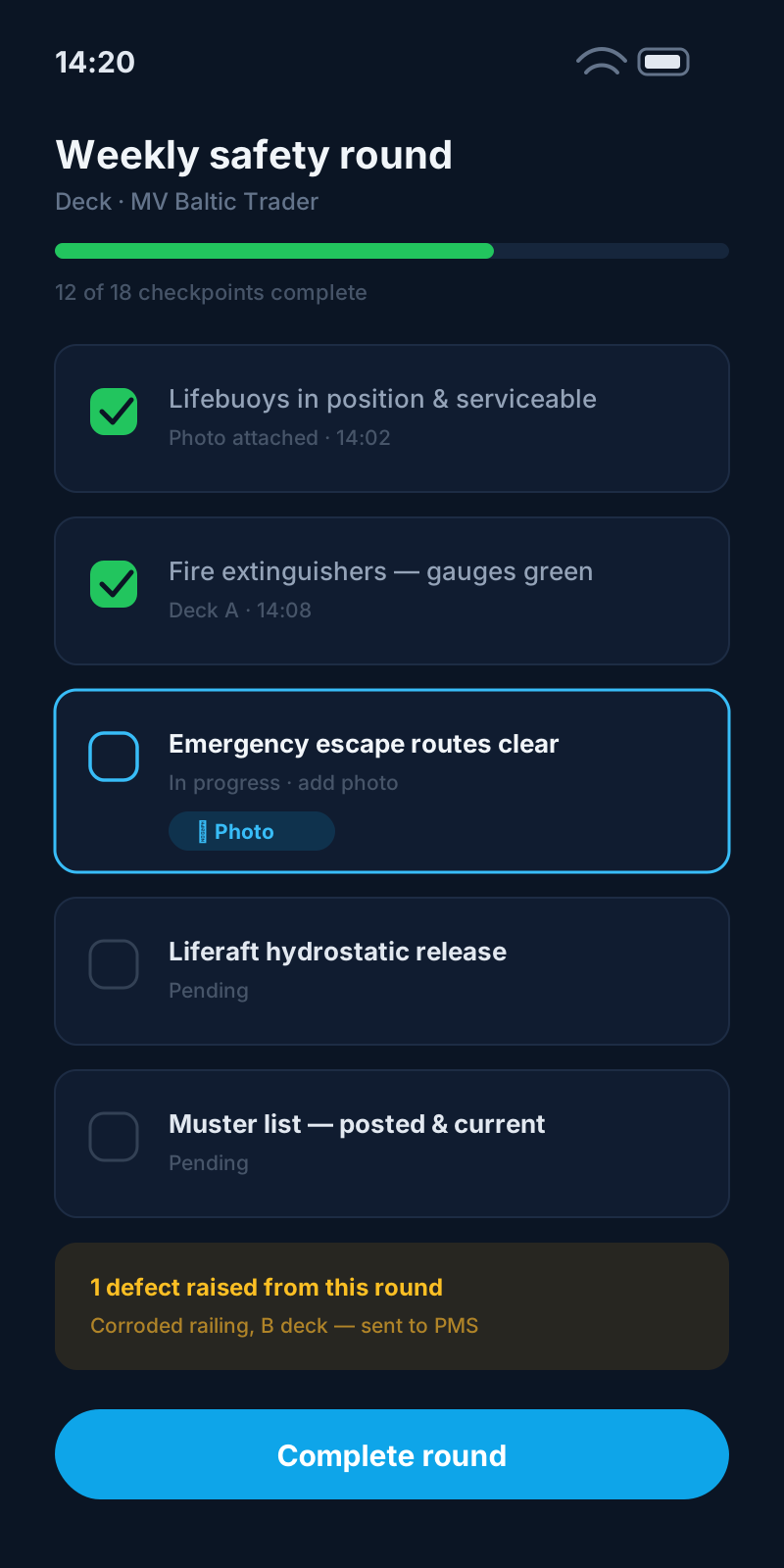
Read safety management system documents with version control.
Learn more →Acknowledge fleet-wide circulars with read compliance tracked for the DPA.
Learn more →Safety data sheets for chemicals carried on board.
Learn more →Vessel safety meeting minutes and records.
Learn more →Submit ideas and read responses from your safety officer.
Learn more →Job safety assessments for your vessel.
Learn more →Complete safety officer zone rounds; findings flow to rectification in PMS.
Learn more →Weekly Master rounds with findings and follow-up tasks.
Learn more →MGN 525 temperature logs and weekly food & water inspections when catering is enabled.
Learn more →Letters and forms from Workplace HR — contracts, policies, and personal HR vault.
Learn more →Onboard publications and paper document register.
Learn more →Your identity, compliance wallet, and employer HR in one place — syncing to the fleet record when online.
Contact info, next of kin, travel documents, and profile photo.
Upload scans, track expiry, map to sector certificate types, and share externally.
Learn more →Leave balances, conduct summaries, and HR actions when your company enables the module.
Learn more →CV-style work history and job preferences for internal or external recruitment.
Toggle Prepare for offline, notifications, and account preferences.
Learn more →Capabilities that follow you on every tab — connectivity, comms, and support.
Fleet notices, messages, and operational alerts on iOS and Android.
Learn more →Direct and department threads with queued send when offline.
Learn more →In-app inbox with read state and quick actions.
In-app support form emailed to your operator or WaterTight support.
Link your account to a company invite code or QR from the fleet office.
Learn more →iOS is available through TestFlight while we prepare the public App Store listing. Android follows on Google Play. Installable web on tablets works at sea today.
Changes sync to the company dashboard — superintendents see PMS sign-off, HoR, and safety data without re-keying.
Only the tabs and Docs entries your employer enables appear — from single-vessel bundles to full fleet + PMS.
Candidates maintain certificates and share links; employed crew join their organisation and unlock company modules.
We walk through PMS, HoR, Docs, and offline prepare on a demo vessel profile matched to your modules. For early access, request a TestFlight invite for iOS — Android follows when the Play listing is live.